Technology Training Facilities


Return to Technology Training Facilities page

Turing Auditorium, Polya Hall Room 111
Lecture hall - Capacity: 88

Small view of Turing Auditorium(click on photo for enlarged view)

  • Lecture hall seating for 88 with PC and Mac connected to a 2-projector, 2-screen audio-visual system, using a touch panel interface; wireless access to SUNet; laptop connection available 
  • DVD/VHS/VCR player, connected to A-V system
  • Wireless microphones: two earset, one lapel mic, and two hand-held mics
  • Macintosh is an Intel Mac Mini, 17" Flat Panel LCD monitor, 2GHz, 4GB RAM, 250 GB HD
  • PC is a Dell Optiplex GX620, 3.4GHz Pentium D, 4.0GB RAM, 160GB HD, 512MB VRAM, Windows XP Pro SP2 and Windows 7, DVD/CD-RW Drive, Floppy Drive, 17-in Flat Panel LCD Monitor
  • Rate: $60/hour (2-hour minimum time blocks)
  • See the Searchable Campus Map of Polya Hall
  • Download PDF of software installed on the Turing Machines


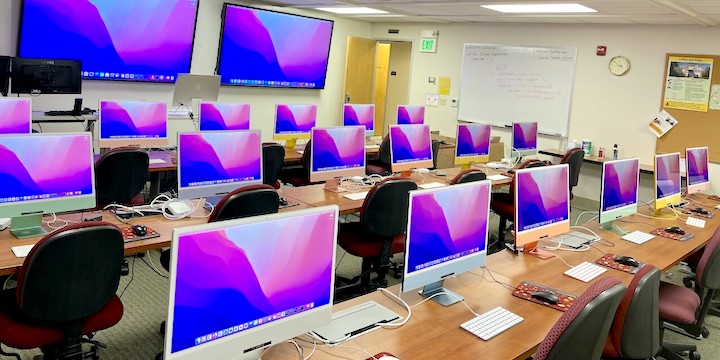
PHIL - Polya Hall Instructional Lab, Polya Hall Room 170B
Hands-on Lab - Capacity: 16

(click on photo for enlarged view)View of PHIL classroom

These Mac and Windows hands-on classrooms seat 16 and have one instructor station connected to a a projector mounted on a stand. Other details:

  • Computer Station: 20" Widescreen LED monitor, Mac Mini: 2.5 GHz dual-core Intel Core i5, 4GB RAM, 500GB hard drive, Dual-Boot: Mac OS X Lion  and Windows 7.
  • Rate: $75/hour (4-hour minimum time blocks, i.e., 8-12 or 1-5)
  • See the Searchable Campus Map of Polya Hall
  • Download PDF of PHIL software

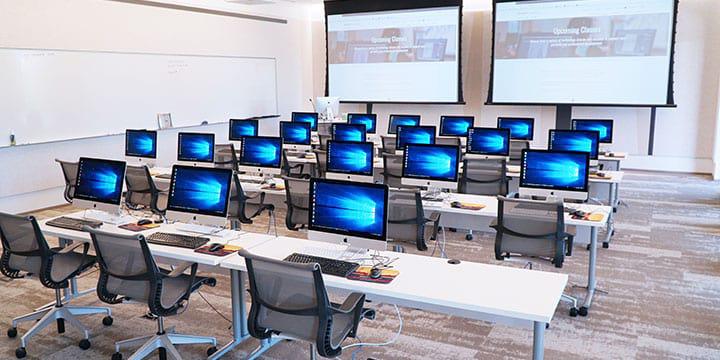
POST - Professional Office Systems Training, Redwood Hall Room G6
Hands-on Lab - Capacity: 18

(click on photo for enlarged view)View of POST classroom

These Mac and Windows hands-on classrooms seat 18 and have one instructor station connected to a ceiling-mounted projector. Other details:

  • Computer Station: Apple Mac Pro, 8 GB RAM, 500 GB HD, 512 MB VRAM, 23-inch Cinema Display, SuperDrive, Dual-Boot: Mac OS X Leopard and Windows 7.
  • Rate: $75/hour (4-hour minimum time blocks, i.e., 8-12 or 1-5)
  • See the Searchable Campus Map of Redwood Hall
  • Download PDF of POST software


Birch Labs, 215 Panama Street
Hands-on Labs - Capacity: 18

Lab A & Lab B
(click on photo for enlarged view)View of Birch classroom

These Mac and Windows hands-on classrooms seat 18 and have one instructor station connected to a ceiling-mounted projector. Other details:

For more information about facility rentals, contact Tech Training at techtraining@stanford.edu, or (650) 723-4391.

Return to Technology Training Facilities page